30 December
30 December · 19:18 UTC
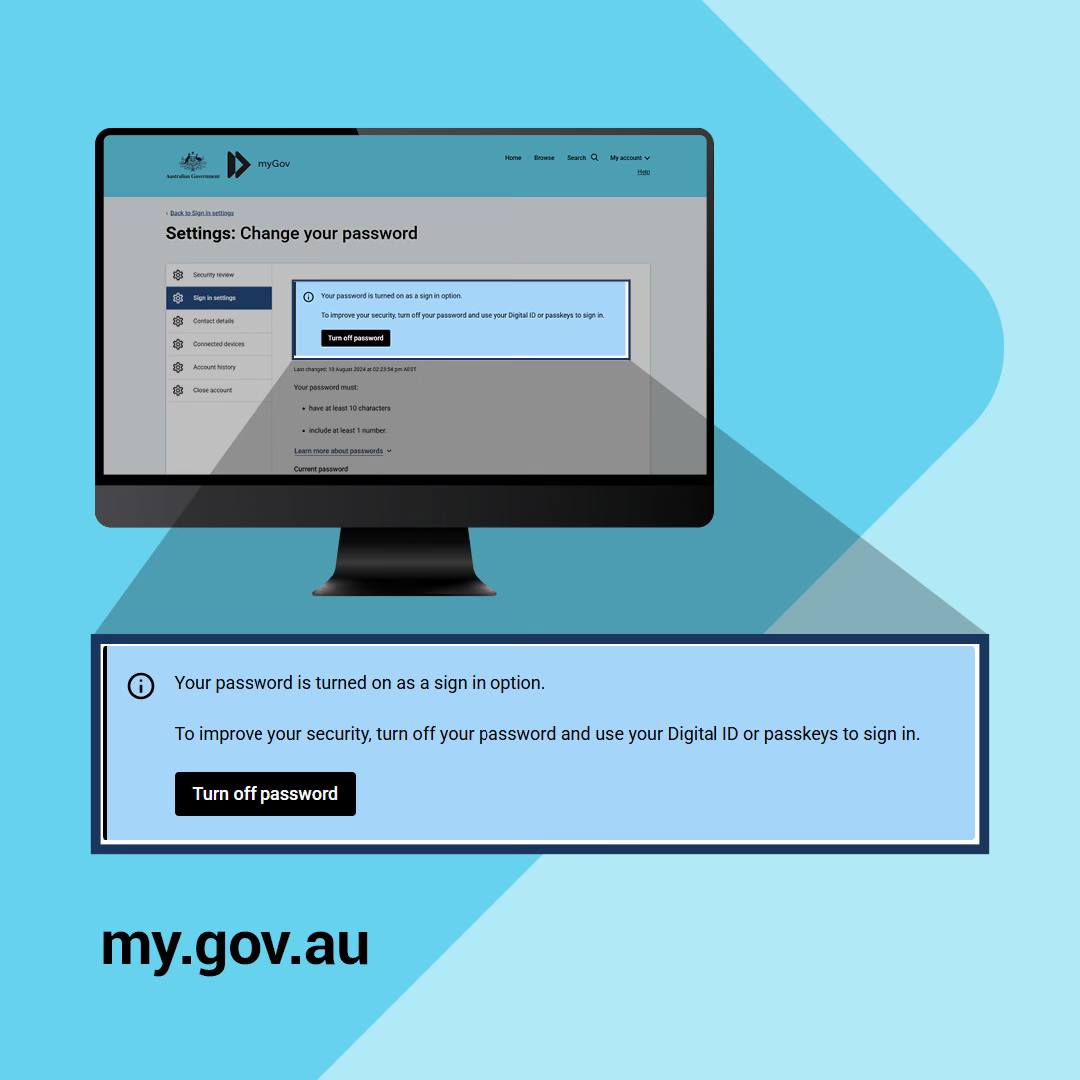
For Australians, I think a hugely important security tip. myGov is our government access point for our core services, like Medicare and your tax, as well as your health record. I highly recommend firstly always just using the app they provide to access myGov. But whether you do that or access it via a web browser, go into myGov and turn OFF the option to access it using a password. That leaves hackers with nothing to try to hack, to get access to your personal data. As an alternative set up a passkey or Digital ID while there. I also highly recommend people use passkeys for all of their online accounts, where possible, it allows you to bypass the stupid world of passwords and is much easier and faster and more secure to boot. It'll allow you to use your device's security, like facial recognition, to access sites, rather than having to remember passwords. Again it leaves hackers with nothing to discover, no passwords to steal. A Digital ID for myGov is slightly more complicated, but you can use that too. The site will help you set that up. But a passkey is fine, and easier. And turn off that password access option when you do, as the image shows. I also highly recommend doing this for your main personal email, make it passkey access (rather than using a password), and/or add 2-factor authentication to your email to make it harder to hack.